 Rackpulse
Hetzner server monitoring with alerts on your Mac
Rackpulse checks your Hetzner Cloud servers through the Hetzner API and sends a macOS notification when one goes down, stays busy, or runs low on space. The basic checks need nothing on the server.
macOS 14 or later. Needs a Hetzner Cloud API token. Free and open source. No account, no telemetry.
What the Hetzner API reports
The Hetzner Console shows graphs for the CPU, disk, and network of each server. The same data is in the Hetzner API, and Rackpulse reads it with an API token for each project. The API can't see inside a server, so memory and disk space are not part of it. For those, Rackpulse has an optional agent.
What Rackpulse watches
| Metric | Source | Alert |
|---|---|---|
| Running or not | Hetzner API | Server down, when you did not stop it |
| CPU | Hetzner API | Sustained CPU above a threshold |
| Disk IOPS | Hetzner API | Disk I/O above a multiple of the 7-day median |
| Network and traffic | Hetzner API | Traffic past a share of the included amount |
| Servers, volumes, firewalls | Hetzner API | A server or volume added or deleted, a firewall changed |
| Memory and load | Agent | Memory above a threshold |
| Disk space and inodes | Agent | A file system fills up or turns read-only |
| systemd services | Agent | A service is in the failed state |
| Reboot needed | Agent | Installed updates need a reboot |
| Docker containers | Agent | Unhealthy, restarting, or stopped with an error |
If Hetzner says a server is running but its agent stops answering, Rackpulse raises "Agent not answering". The server may be frozen or out of memory.
Uptime for 30 days
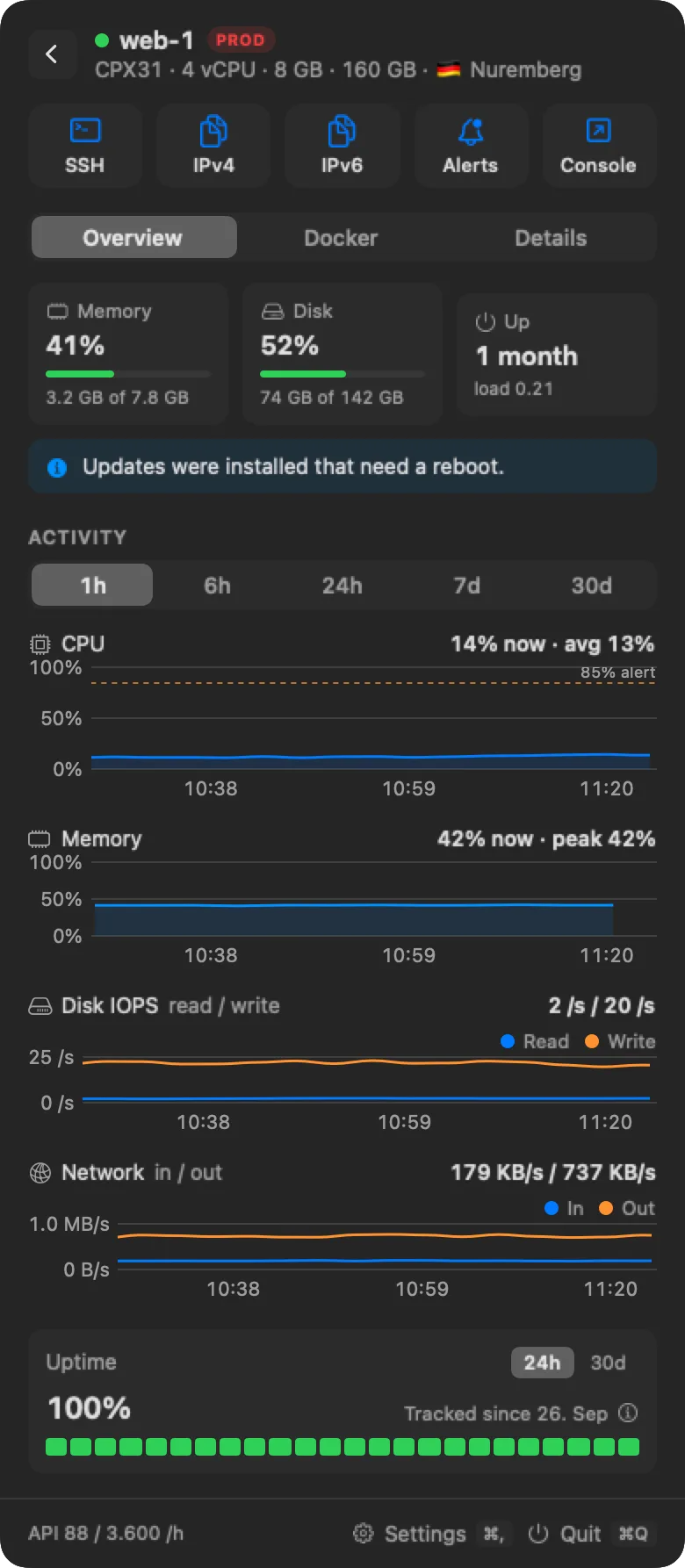
Each server page has an uptime bar for the last 24 hours and 30 days. Without the agent, it comes from Hetzner's start and stop history and Rackpulse's own checks. With the agent, it is recorded on the server itself, so it also catches crashes and reboots that Hetzner can't see.
How notifications work
- Snooze from the notification or the panel silences the alert for 24 hours.
- Quiet hours hold notifications back.
- Per server limits. Each server can use the global rules, its own thresholds, or no alerts.
Rackpulse and other monitoring tools
| Tool | What it does | What you run |
|---|---|---|
| Hetzner Console | Graphs for CPU, disk, and network per server | Nothing, in a browser |
| Uptime Kuma | Checks that a URL, port, or host answers | A server or container that runs it |
| Prometheus and Grafana, Netdata | Detailed metrics and dashboards for any server | An exporter or agent per server, plus a metrics store, or their cloud service |
| Rackpulse | Status, metrics, uptime, costs, and alerts for Hetzner Cloud servers | A Mac app, and an optional agent per server |
Rackpulse is for a person who runs a handful of Hetzner Cloud servers and wants to know when one needs attention. It does not store metrics for months or build dashboards.
Questions and answers
Does monitoring stop when my Mac sleeps?
Rackpulse runs on your Mac, so it checks and notifies while your Mac is awake. With the agent, the server records its own uptime and metrics for 30 days, so charts and uptime fill in when your Mac wakes up, and crashes during that time still show.
Can it see memory and disk space without the agent?
No. The Hetzner API reports CPU, disk I/O, and network, but it can't see inside a server. Memory, disk space, services, and Docker need the agent.
How often does it check?
On a fixed interval that you can change in Settings. The footer of the panel shows how many Hetzner API requests Rackpulse has used in the current hour.
Can I turn off alerts for one server?
Yes. Each server can use the global rules, its own thresholds, or no alerts. Open the Alerts button on the server page.
Does it check that my website answers?
No. Rackpulse watches the servers, not HTTP endpoints. For a check that a URL answers from outside, use an uptime checker such as Uptime Kuma next to it.